Instagram Font Generator fonts to copy & paste for your bio
Type your text, pick a font, copy it and paste it into your bio. Over 25 fonts, free.
How to change your Instagram font
Three steps – this is what it looks like on your phone
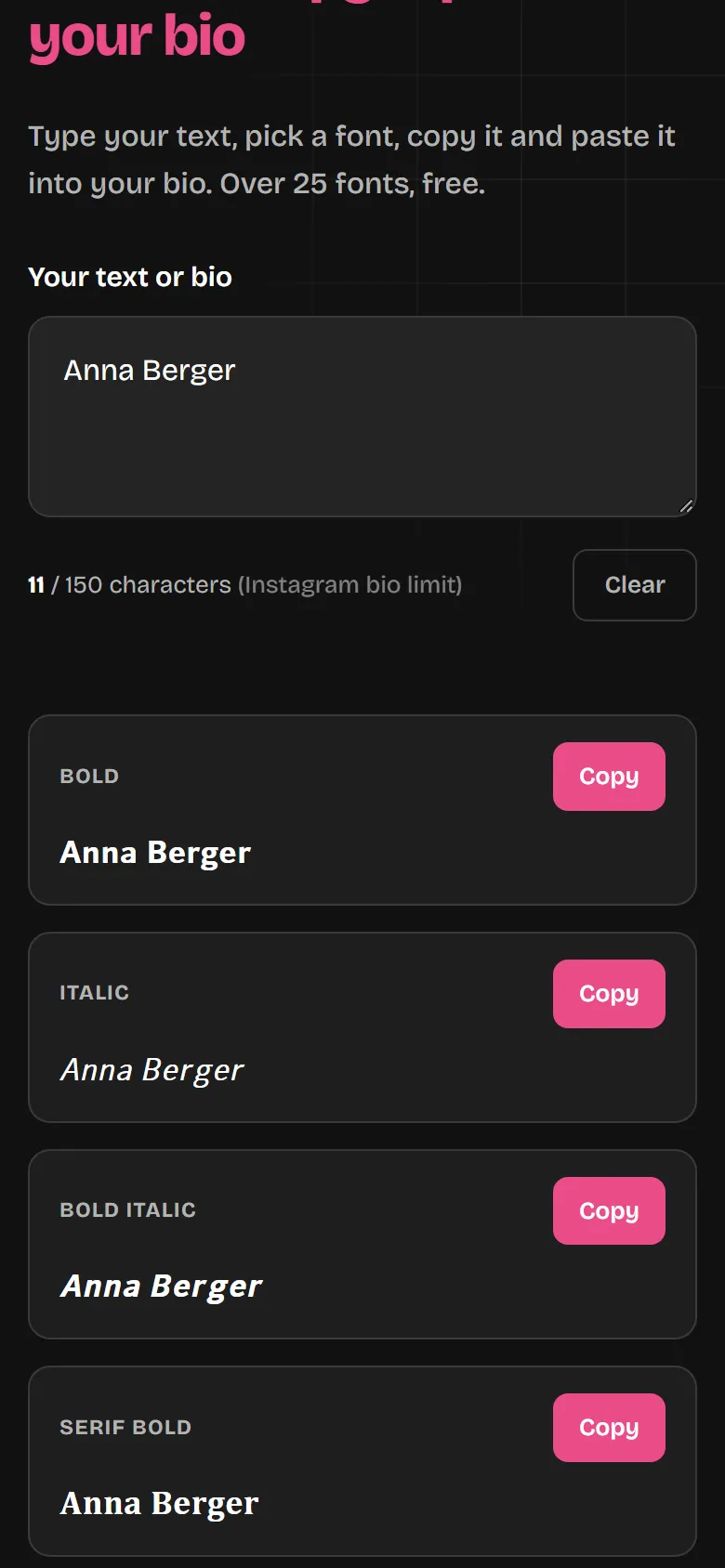
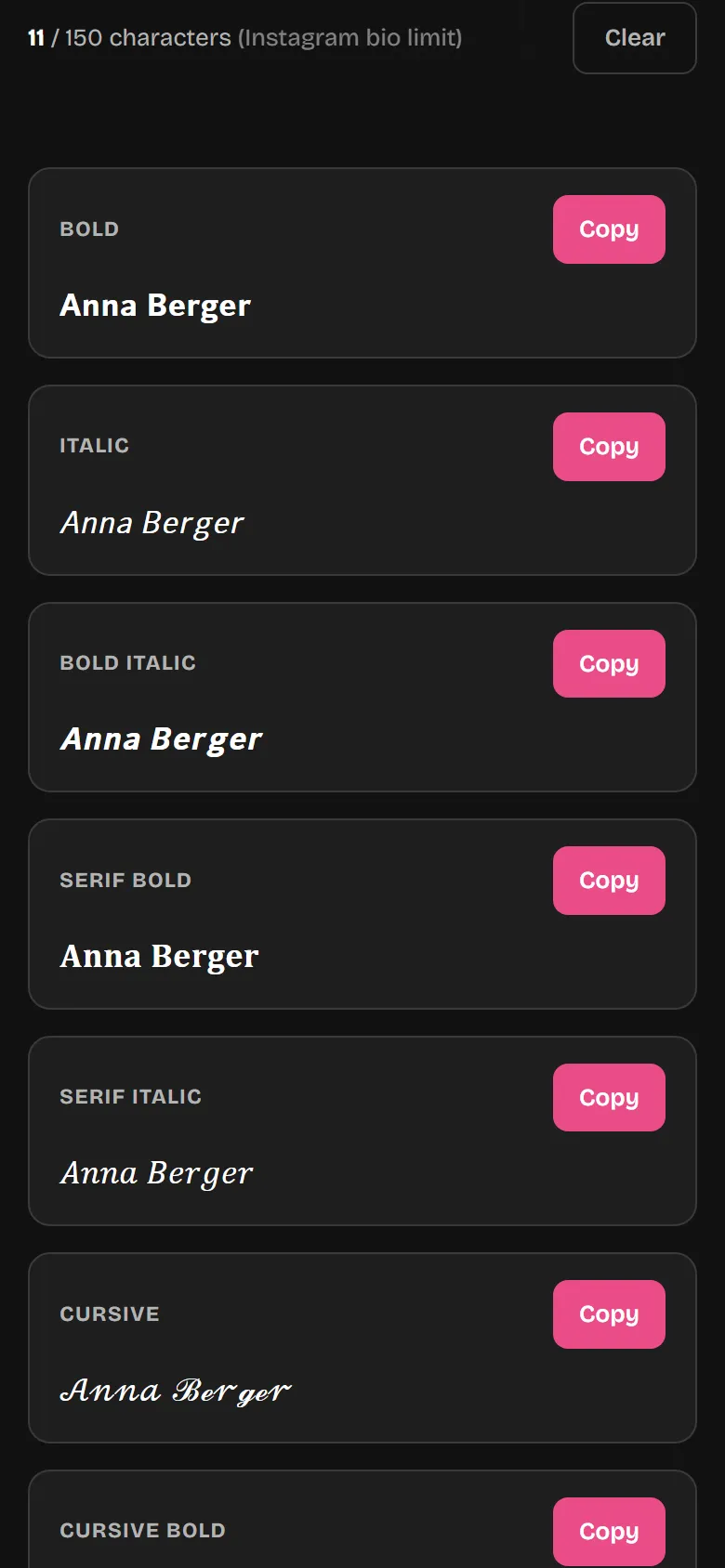
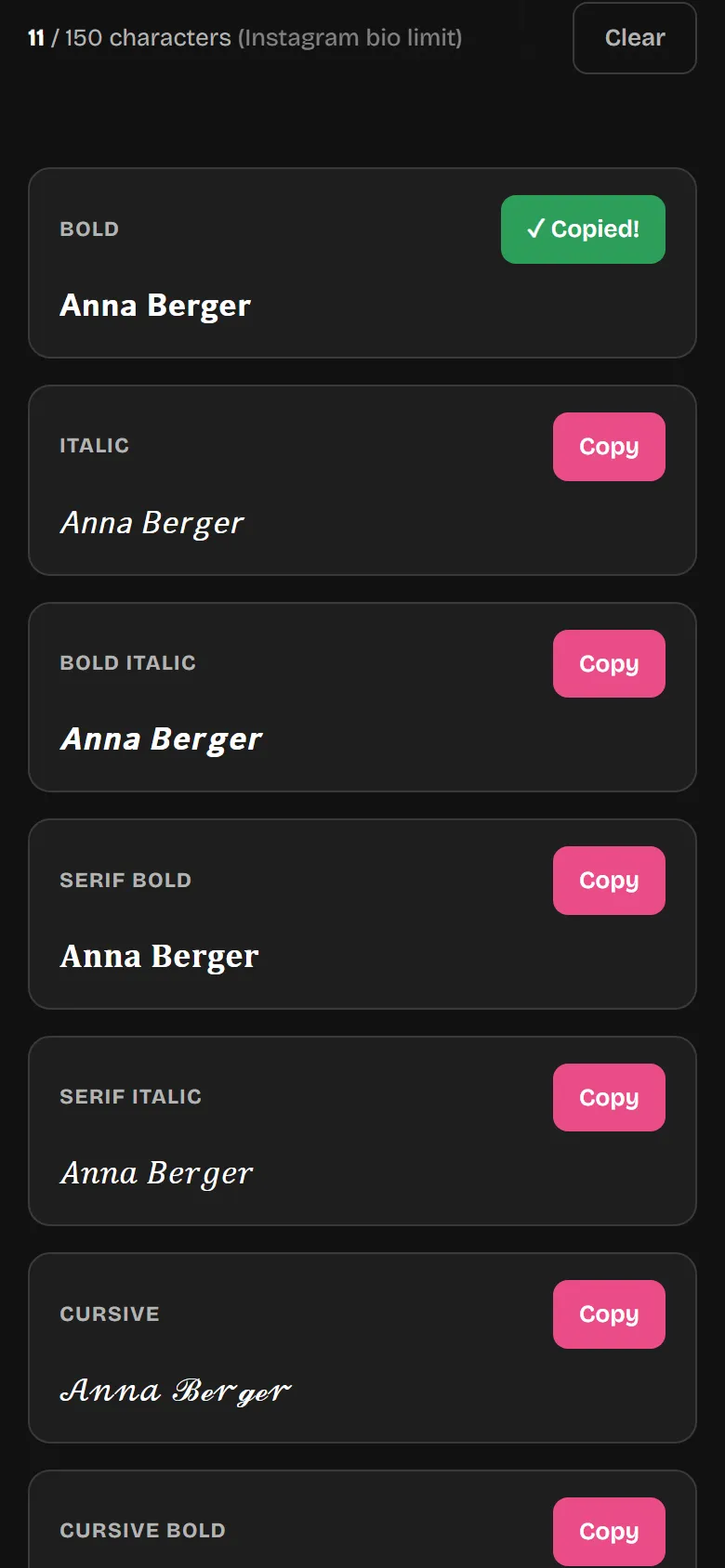
What the Font Generator can do
Over 25 fonts
Bold, italic, cursive and more.
One click to copy
No need to select text.
Character counter
Your bio can have 150 characters at most.
Use it anywhere
Bio, name, captions, comments, Stories.
For other apps too
TikTok, WhatsApp, Discord and more.
Free
No sign-up and no ads.
Where do the fonts work?
Almost anywhere you type text in Instagram.
| Works? | Good to know | |
|---|---|---|
| Bio | yes | 150 characters at most |
| Name in your profile | yes | harder to find in search |
| Caption | yes | 2,200 characters at most |
| Comments and Story text | yes | |
| Username (@name) | no | letters, numbers, dots and underscores only |
Why this works
Instagram has no fonts of its own. The generator swaps your letters for special characters that look similar. That's why you can paste them anywhere, just like normal text.
Tip: style just a few words, not your whole bio. Screen readers often read special characters out one by one, and Instagram has a harder time finding words written this way in search.
Popular styles
All ready to copy in the generator above.
Bold
𝐋𝐨𝐨𝐤𝐬 𝐥𝐢𝐤𝐞 𝐭𝐡𝐢𝐬
Italic
𝘓𝘰𝘰𝘬𝘴 𝘭𝘪𝘬𝘦 𝘵𝘩𝘪𝘴
Cursive
𝓛𝓸𝓸𝓴𝓼 𝓵𝓲𝓴𝓮 𝓽𝓱𝓲𝓼
Outline
𝕃𝕠𝕠𝕜𝕤 𝕝𝕚𝕜𝕖 𝕥𝕙𝕚𝕤
Small Caps
ʟᴏᴏᴋꜱ ʟɪᴋᴇ ᴛʜɪꜱ
Symbols
★ ♥ ✦ → ✿ ☾
Tips for a good bio
Who are you?
One sentence that says what you're about.
What do people get from you?
Tips, photos, offers: say it clearly.
What should people do?
A short call to action, for example to your link.
Instagram fonts – what you should know
Which fonts go down best?
The most popular are cursive, bold, italic and playful styles like bubble or outline. If you prefer something cleaner, go for small caps or the wide "aesthetic" font. The best approach is to just try them out: above, you see your own word in every variant straight away and pick the one you like most.
Tips for a nice Instagram bio
Less is more. Style your name or one or two keywords rather than transforming your whole bio – otherwise it gets hard to read. Short lines and a few subtle symbols bring order, and keep an eye on the 150 characters. One or two fonts that go together look more premium than a wild mix.
Why do the fonts look the same everywhere?
There's no image and no font file behind them, just plain text: the generator swaps your letters for matching Unicode characters. Unicode is a worldwide standard that almost every phone and app understands. That's why your 𝓯𝓪𝓷𝓬𝔂 fonts look the same everywhere – on an iPhone just like on Android or a computer. And because it's real text, it works not only on Instagram but also on TikTok, WhatsApp, Discord or X (Twitter).
Get more out of your Instagram profile
A good bio is just the start. With smartFollower's free tools you get even more out of it: view profile pictures in full size with Instazoom, watch stories anonymously with the Story Viewer, or save reels, posts and videos with our downloaders. All right in your browser, free and without sign-up. As of 2026.
More on this in the blog: Which fonts work where, with lots of examples
Frequently asked questions
Is the Instagram Font Generator free?
Yes, completely. You can convert, copy and paste as many texts as you like – no sign-up, no app and no hidden costs.
How do I paste a font into my Instagram bio?
Type your text above and tap "Copy" on the font you want. Then open your profile in the Instagram app, choose "Edit profile", tap the bio field and paste it in. Save – done.
Why are some fonts not displayed correctly?
Fancy fonts use rare Unicode characters that not every device knows – then an empty box appears. This depends on the viewer's device, not on the generator. Classics like bold, italic, cursive and small caps work reliably everywhere.
Do the fonts also work in stories, captions and the name?
Yes. Since it's real Unicode text, you can paste it anywhere Instagram allows text input: in your bio, display name, captions, comments and story text fields.
Do I need an app or an account?
No. The generator runs right in your browser – on phone, tablet and computer. You don't have to install anything or register anywhere.
How many characters can my Instagram bio have?
The Instagram bio is limited to 150 characters. The character counter above shows you live how many characters your text has so you don't exceed the limit. Note: some special characters count differently.
Are the fonts visible the same on iPhone and Android?
The common fonts are displayed identically on almost all modern devices – iPhone and Android alike. With very rare symbol fonts, the display may vary slightly depending on the operating system.
Can I also use the fonts for TikTok, WhatsApp or Discord?
Yes. Because it's real Unicode text, it works not only on Instagram but also on TikTok, WhatsApp, Discord, X (Twitter), Facebook and many other apps.
Discover even more Instagram tools!
The perfect bio font is only the beginning – also try InstaZoom, the Story Viewer, Reel Downloader and Post Downloader. All free and ad-free.
Discover all tools now